Artificial intelligence is no longer something only large technology companies can afford to use. In 2026, AI tools have become practical, accessible, and increasingly important for small businesses. From writing marketing content and designing graphics to managing meetings, researching information, and automating repetitive work, AI can help small business owners achieve more with limited time and resources.
For a small business owner, the biggest advantage of AI is not simply automation. It is productivity. Instead of spending hours drafting an email, creating a social media graphic, researching competitors, or summarizing a meeting, the right AI tool can help complete these tasks much faster.
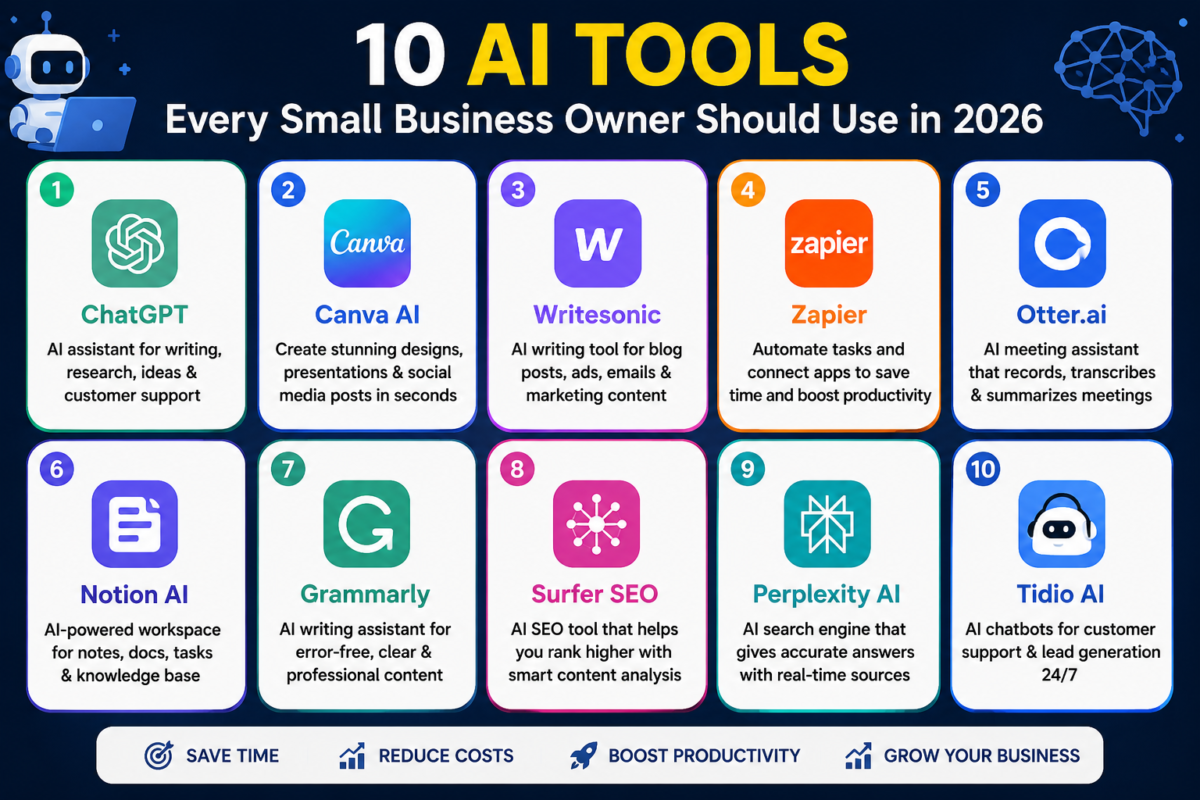
However, hundreds of AI platforms are now available, and choosing the right ones can be confusing. This guide covers 10 AI tools every small business owner should consider using in 2026, along with practical ways they can support day-to-day business operations.
Why Small Businesses Should Use AI in 2026
Small businesses often operate with smaller teams and tighter budgets than large companies. An owner may handle sales, marketing, customer communication, research, administration, and planning at the same time.
AI can reduce some of this workload.
Businesses can use AI to draft content, analyze information, generate marketing ideas, create presentations, improve customer communication, automate workflows, and organize information. The goal is not necessarily to replace employees. Instead, AI can handle repetitive or time-consuming tasks so people can focus on decisions, relationships, strategy, and growth.
Here are 10 tools worth exploring.
1. ChatGPT – AI Assistant for Everyday Business Tasks

ChatGPT is one of the most versatile AI tools available to small businesses. It can assist with writing, brainstorming, research, planning, data analysis, and many other knowledge-based tasks.
A business owner could use ChatGPT to draft professional emails, generate social media ideas, create product descriptions, summarize documents, prepare meeting agendas, brainstorm marketing campaigns, or develop a basic business plan.
For example, instead of starting a customer follow-up email from scratch, you can provide the situation and ask ChatGPT to create a professional first draft.
Best for:
Content creation, brainstorming, research, business planning, writing, and general productivity.
2. Canva – AI-Powered Design and Marketing Content

Professional-looking visual content is important for almost every modern business, but hiring a designer for every small task may not be practical.
Canva combines an easy-to-use design platform with AI-powered features that can help users create social media posts, presentations, posters, advertisements, videos, and other marketing materials.
Small businesses can use templates and AI-assisted features to produce branded content without advanced graphic design skills.
A local store, for example, could create promotional Instagram posts, festival offers, product announcements, and flyers using the same brand style.
Best for:
Social media graphics, presentations, advertisements, posters, branding, and visual marketing.
3. Grammarly – AI Writing and Communication Assistant

Professional communication matters, especially when a business deals with customers, suppliers, partners, or international clients.
Grammarly can help improve grammar, spelling, clarity, and writing style. Its AI features can also assist with rewriting and refining content.
This can be useful when preparing emails, proposals, website copy, reports, or customer communication.
AI-generated text should still be reviewed before sending, particularly when a message contains prices, contractual terms, technical information, or important commitments.
Best for:
Business emails, reports, proposals, website content, and professional communication.
4. Google Gemini – AI for Research and Productivity
Gemini is Google’s AI assistant and can be useful for businesses already working within Google’s ecosystem.
Depending on the product and plan being used, Gemini can assist with writing, research, brainstorming, summarization, and productivity tasks across supported Google services.
For small businesses, this can make everyday workflows more efficient. Owners can use AI to organize ideas, summarize information, prepare drafts, and work with business documents.
Gemini can be particularly attractive to companies that already rely heavily on Google Workspace.
Best for:
Research, writing, productivity, document-related tasks, and Google Workspace users.
5. Microsoft Copilot – AI for Office Productivity

Many businesses already use Microsoft applications for spreadsheets, documents, presentations, email, and meetings. Microsoft Copilot brings AI assistance into this broader productivity environment.
Depending on the Microsoft product and subscription, Copilot can help create drafts, summarize information, analyze data, prepare presentations, and improve productivity.
Imagine having sales information in a spreadsheet and needing to identify trends before a meeting. AI assistance can help speed up the initial analysis, although important business figures should always be verified manually.
Best for:
Documents, spreadsheets, presentations, email, analysis, and office productivity.
6. Notion AI – Organize Business Knowledge
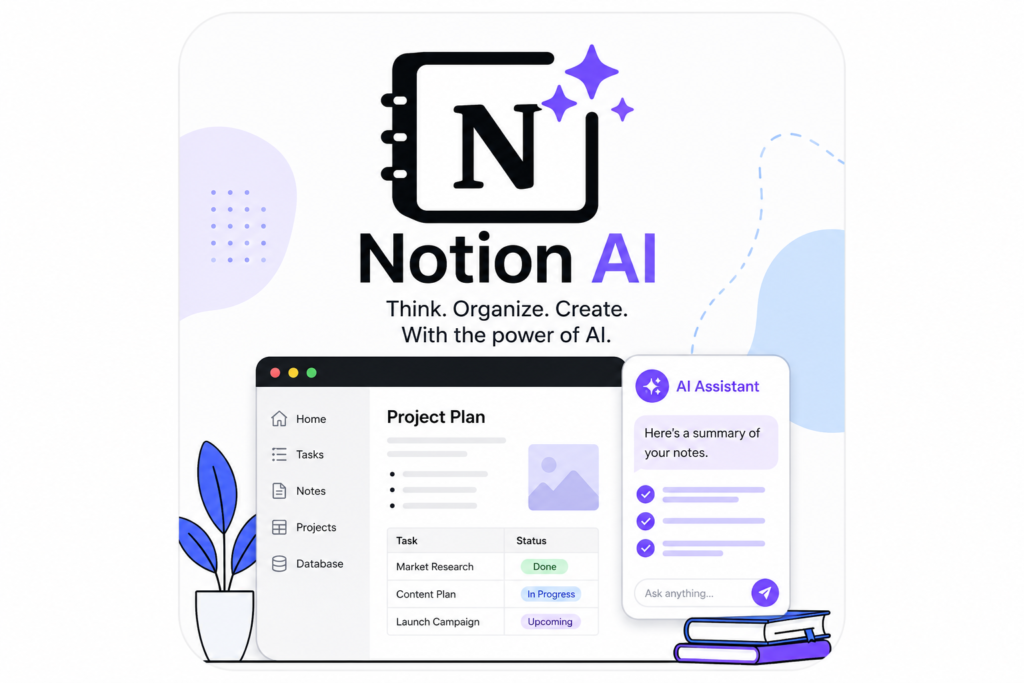
As a business grows, information can quickly become scattered across messages, documents, notes, spreadsheets, and different applications.
Notion provides a workspace for organizing projects, documents, databases, notes, and internal knowledge. Its AI capabilities can help users work with the information stored in their workspace.
A small team might use Notion to maintain operating procedures, marketing plans, meeting notes, project information, content calendars, and internal documentation.
Instead of searching through dozens of separate files, keeping structured business knowledge in one workspace can improve efficiency.
Best for:
Project organization, internal documentation, business knowledge, notes, and team collaboration.
7. Zapier – AI and Workflow Automation
Many business tasks involve moving information from one application to another.
For example, a new customer submits a form, their information needs to be added to a system, a notification needs to reach the sales team, and a follow-up task needs to be created.
Zapier is designed to connect applications and automate workflows. Its AI capabilities can further help businesses build and manage automated processes.
Automation becomes particularly valuable when the same task happens repeatedly.
The important rule is to automate carefully. Payment actions, sensitive customer information, legal communications, and other high-impact processes should include appropriate human oversight.
Best for:
Workflow automation, lead management, repetitive administrative tasks, and connecting business apps.
8. HubSpot – AI for Marketing, Sales, and CRM
Customer relationships are at the center of most businesses. HubSpot provides customer relationship management, marketing, sales, and service tools, with AI capabilities integrated across parts of its platform.
Small businesses can use a CRM to keep track of leads, customer interactions, sales opportunities, and follow-up activities.
AI can help with tasks such as content creation, sales productivity, customer communication, and working with CRM information, depending on the HubSpot products being used.
For a growing business, having customer information organized in a structured system can be much more effective than managing every lead through separate spreadsheets and messages.
Best for:
CRM, lead management, sales, marketing, and customer communication.
9. Otter.ai – AI Meeting Assistant
Meetings often contain useful information that is forgotten or buried in handwritten notes.
Otter.ai focuses on meeting transcription and AI-assisted meeting notes. It can help teams capture conversations, generate summaries, and identify important information from meetings.
This can be valuable for sales calls, internal discussions, client meetings, interviews, and project planning.
However, businesses should consider privacy, confidentiality, and consent requirements before recording or transcribing meetings, particularly when clients or sensitive information are involved.
Best for:
Meeting transcription, summaries, notes, interviews, and team collaboration.
10. Perplexity – AI-Powered Research
Business owners regularly need information about markets, competitors, industries, products, regulations, and emerging trends.
Perplexity is an AI-powered research and answer platform that can search for information and provide responses supported by sources.
This makes it useful for initial business research because users can investigate a question and then examine the underlying sources.
For example, a business considering a new market could use it to begin researching industry trends, competitors, consumer demand, or relevant developments.
AI research should not be treated as the final authority for major financial, legal, regulatory, or strategic decisions. Important information should be verified using reliable primary sources.
Best for:
Market research, competitor research, industry trends, source discovery, and business learning.
How to Choose the Right AI Tools for Your Small Business
You do not need all 10 tools immediately.
Start by identifying tasks that consume the most time. A business struggling with content creation may benefit from ChatGPT and Canva. A company handling many leads may gain more value from HubSpot and Zapier. A team with frequent meetings might prioritize Otter.ai.
Before paying for multiple subscriptions, test available free plans or trials where appropriate and measure whether the tool actually saves time or improves results.
Also consider data privacy and security. Avoid entering confidential client data, passwords, financial credentials, trade secrets, or other sensitive information into an AI service unless you understand how that service handles your data and your business is authorized to use it that way.
AI Should Support Business Decisions, Not Replace Them

AI can produce impressive results, but it can also make mistakes.
An AI system may provide outdated information, misunderstand context, generate incorrect facts, or create content that sounds convincing even when it is inaccurate.
Business owners should therefore treat AI as an assistant rather than an unquestioned decision-maker.
Use AI to accelerate the first draft, organize information, generate possibilities, and automate low-risk repetitive work. Keep human review for important decisions involving customers, money, contracts, compliance, reputation, and business strategy.
Conclusion
AI is becoming a practical part of running a small business in 2026. Tools such as ChatGPT, Canva, Grammarly, Gemini, Microsoft Copilot, Notion AI, Zapier, HubSpot, Otter.ai, and Perplexity can help businesses improve productivity across writing, design, research, sales, meetings, organization, and automation.
The best approach is not to adopt every new AI tool. Start with a clear business problem, select a tool that solves it, test the results, and expand only when the technology provides measurable value.
Small businesses that learn how to combine AI efficiency with human judgment, creativity, and strong customer relationships will be better positioned to compete in an increasingly AI-powered economy.
Frequently Asked Questions
1. What is the best AI tool for small business owners?
There is no single best tool for every business. ChatGPT is a versatile option for writing, brainstorming, research, and planning, while specialized platforms such as Canva, HubSpot, and Zapier are better suited to specific workflows.
2. Can small businesses use AI for free?
Yes. Many AI platforms offer free versions, limited plans, or trials, although advanced features and higher usage limits may require paid subscriptions.
3. Can AI help a small business save money?
AI can reduce the time required for repetitive work and improve employee productivity. Actual savings depend on the business, the workflow being automated, subscription costs, and how effectively the tool is implemented.
4. Is AI safe for business use?
AI can be useful for business, but companies should follow appropriate privacy and security practices. Sensitive business or customer information should only be processed through services that meet the company’s security, privacy, and compliance requirements.
5. Will AI replace small business employees?
AI is more useful when viewed as a productivity tool. It can automate parts of certain jobs, but human skills such as judgment, negotiation, relationship building, leadership, creativity, and accountability remain important.